Review Widgets That Don't Tank Your Core Web Vitals

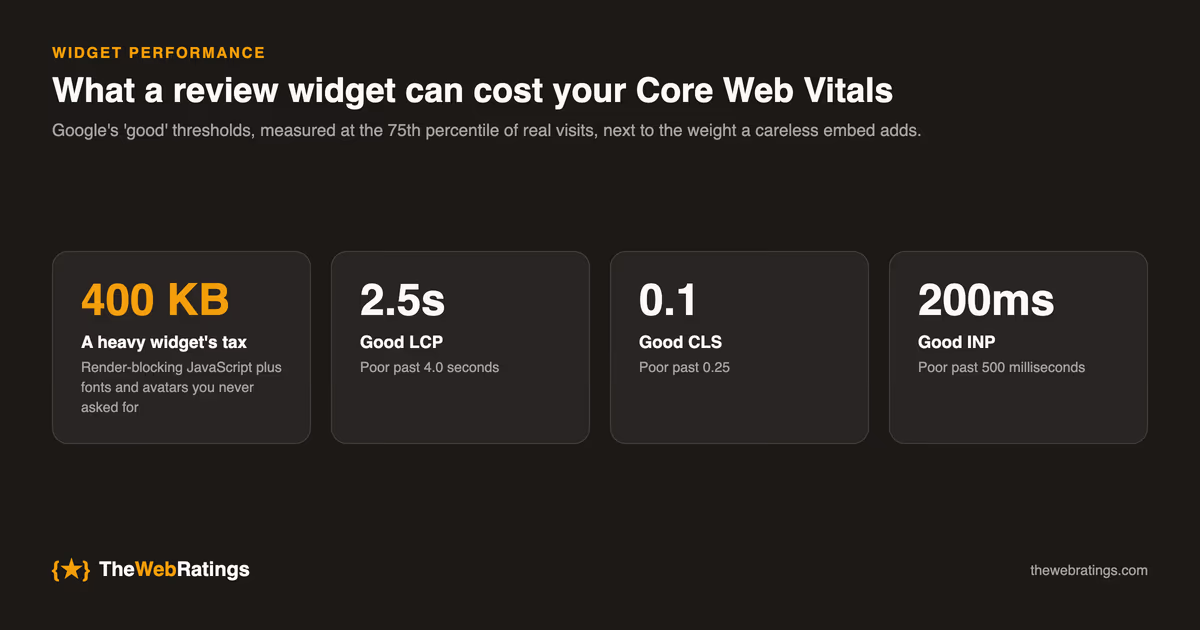
A review widget is a third-party script you paste into a page you have spent years making fast. Most of them arrive as a blob of JavaScript that blocks rendering, injects DOM after the page has already painted, and pulls in fonts and avatars you never asked for. The social proof is worth having. The 400-kilobyte tax on your landing page is not.
Core Web Vitals are a Google ranking signal, so a slow widget costs you twice: once in the bounce from a sluggish page, and again in the search visibility the reviews were supposed to earn. This post walks through what the widget is actually doing to each metric and which loading strategy keeps the cost near zero. For the wider strategy of collecting and displaying reviews, start with our pillar on customer reviews for SaaS. Here the focus is narrow: performance.
What Core Web Vitals actually measure
Google publishes three field metrics and a "good" threshold for each, measured at the 75th percentile of real visits:
- Largest Contentful Paint (LCP) times how long until the biggest element in the viewport renders. Good is 2.5 seconds or faster; anything past 4.0 seconds is poor.
- Cumulative Layout Shift (CLS) scores how much visible content jumps around during load. Good is 0.1 or below; past 0.25 is poor.
- Interaction to Next Paint (INP), which replaced First Input Delay as a Core Web Vital in March 2024, measures responsiveness to taps and clicks. Good is 200 milliseconds or faster; past 500 milliseconds is poor.
A review widget can degrade all three at once, and it usually does the most damage to the two that are easiest to ignore in local testing: CLS and INP.
How a review widget hurts each metric
Widgets fail in predictable ways, and knowing the mechanism tells you which setting to change.
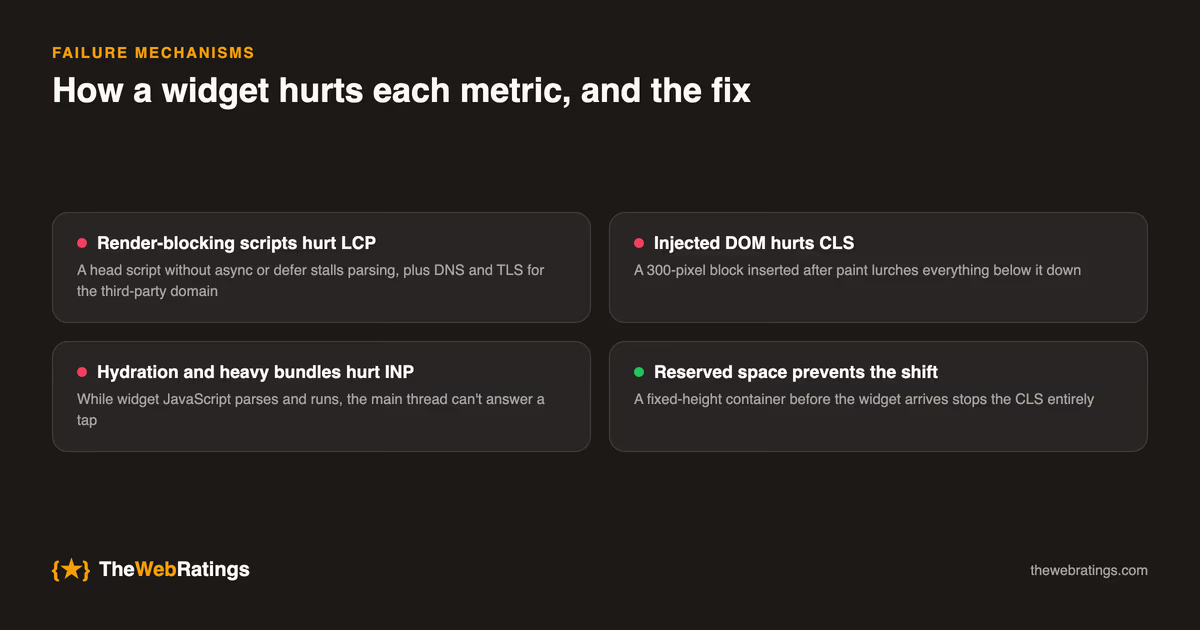
Render-blocking scripts hurt LCP. A <script> tag without async or defer in the document head forces the browser to stop parsing HTML, fetch the script, and run it before it continues. If that script is on a third-party domain, you also pay for a fresh DNS lookup, TLS handshake, and connection setup before a single byte of widget code arrives. Every one of those milliseconds pushes your main content later.
Injected DOM hurts CLS. The classic pattern is a widget that loads after paint, measures nothing, and then inserts a 300-pixel-tall block of reviews into the middle of your page. Everything below it lurches down. That jump is exactly what CLS penalizes, and it is the single most common reason a widget wrecks an otherwise clean score. Reserving space with a fixed-height container before the widget arrives prevents it entirely.
Hydration and heavy bundles hurt INP. A widget built as a full client-side app has to parse, compile, and execute its JavaScript on the main thread. While that work runs, the thread cannot respond to a tap or click, so early interactions feel stuck. The more JavaScript the widget ships, the longer that window lasts.
The loading strategies, ranked by cost
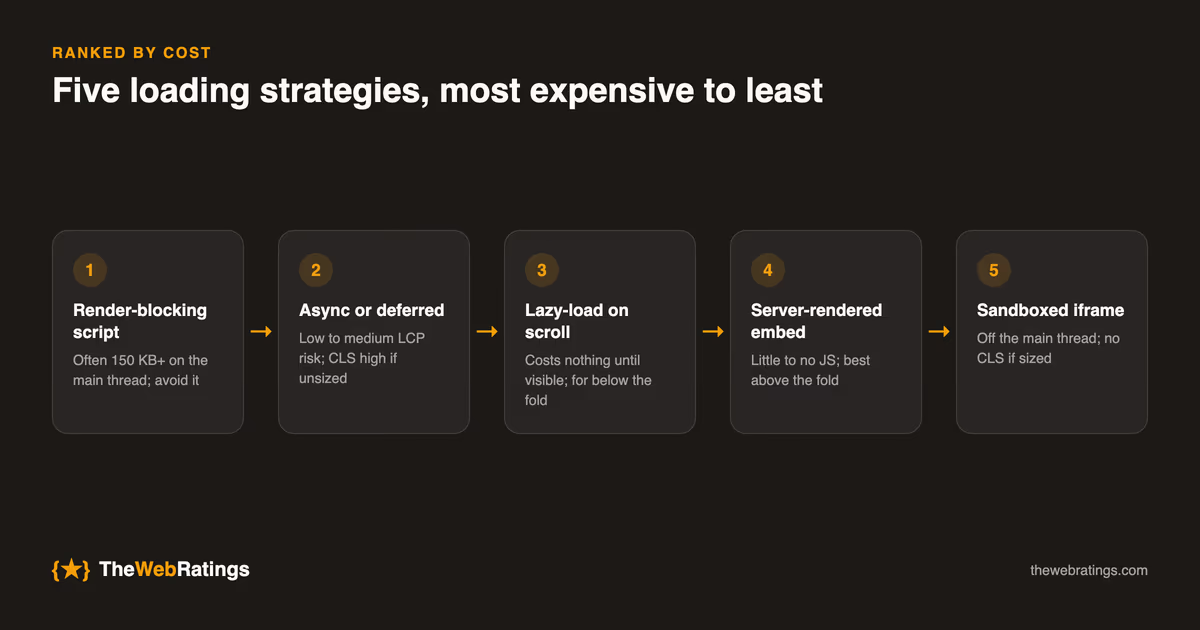
Not all embeds are equal. The same reviews can arrive through very different mechanisms, and the mechanism decides the performance bill. The table below is ordered from most expensive to least, with hedged figures because the exact numbers depend on how much JavaScript a given vendor ships.
| Loading approach | Main-thread JS | LCP risk | CLS risk | Best for |
|---|---|---|---|---|
| Render-blocking script in head | High (often 150 KB or more) | High | High if unsized | Nothing; avoid it |
| Async or deferred script | High | Low to medium | High if unsized | Quick installs where you control layout |
| Lazy-load on scroll | High, but deferred | None until visible | Low if a placeholder reserves space | Widgets below the fold |
| Server-rendered or static embed | Little to none | Low | None | Above-the-fold social proof |
| Sandboxed iframe | Isolated off main thread | Low | None if width and height are set | Third-party widgets you cannot trust to be light |
Two rows deserve emphasis. Lazy-loading with an IntersectionObserver means a widget in the footer costs nothing until the visitor scrolls near it, which is the right default for anything below the fold. Server-rendered or static embeds win when the reviews sit above the fold, because the markup is already in the HTML and there is no script to block LCP at all.
A practical checklist for a fast widget
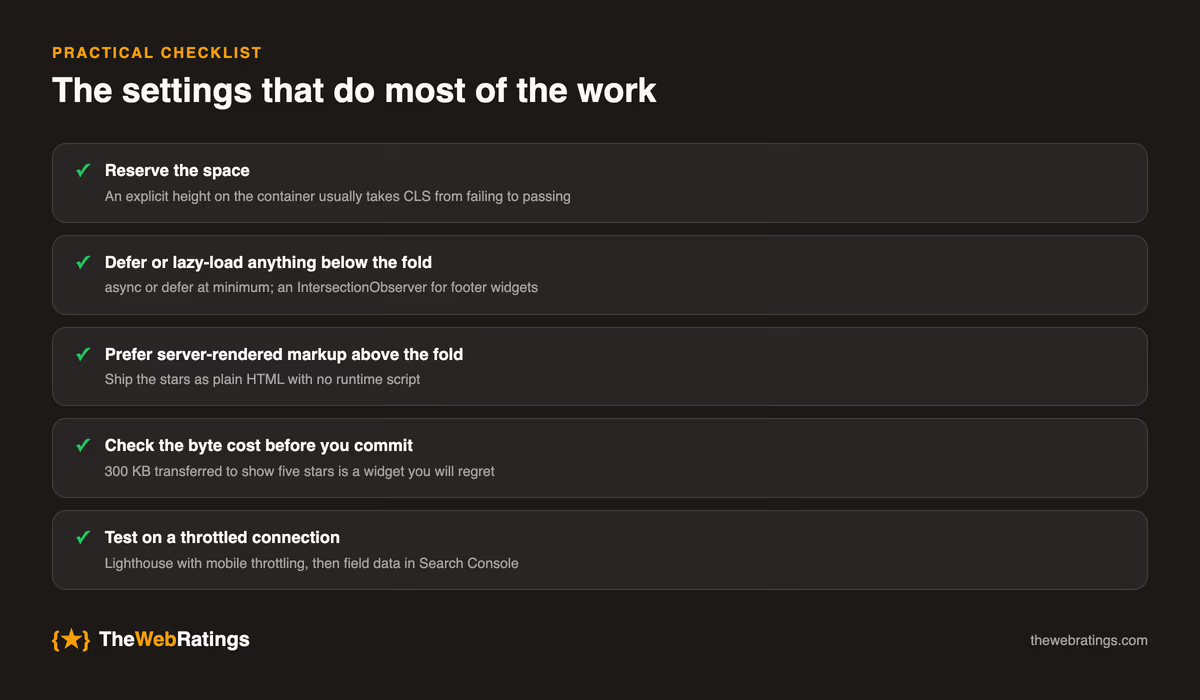
Whatever tool you use, these settings do most of the work:
- Reserve the space. Wrap the widget in a container with an explicit height (or
min-height) so the surrounding layout never moves when the reviews land. This one change usually takes CLS from failing to passing. - Defer or lazy-load anything below the fold. Use
asyncordeferat minimum, and an IntersectionObserver for footer widgets so the script only runs when the widget is about to be seen. - Prefer server-rendered markup above the fold. If reviews appear in the hero or near it, the fastest widget is one that adds no runtime script and ships the stars as plain HTML.
- Check the byte cost before you commit. Open your browser dev tools, filter the Network tab to the widget's domain, and read the transferred size. A widget that pulls 300 kilobytes to show five stars is a widget you will regret.
- Test on a throttled connection. A widget feels fine on your laptop and dies on a mid-range phone. Run Lighthouse with mobile throttling, or better, watch your field data in Search Console.
The embedding mechanics, from choosing a container to the actual snippet, are covered in how to embed a review widget on your website. If you are collecting reviews from inside the product rather than bolting a widget onto a marketing page, how to collect reviews inside your app covers that path and sidesteps most of the third-party-script problem by keeping the review moment native.
How we think about it at TheWebRatings
We build a review platform, so weigh this accordingly. The design goal for our widget is that it should not show up in a Lighthouse audit as a problem: reserved space so CLS stays flat, a small script that can be deferred or lazy-loaded, and a server-renderable option for the star rating so above-the-fold placements add no blocking JavaScript. The point of a review is to earn trust and search visibility, and a widget that slows the page undercuts both. Our pricing page lays out what the embed includes at each tier.
Whatever you choose, treat widget performance as part of the review program rather than an afterthought. The reviews you worked to collect only pay off if the page carrying them stays fast enough for Google to reward and quick enough for a visitor to stay.
Frequently asked questions
They can, indirectly. Core Web Vitals are part of Google's page experience signals, so a widget that pushes your LCP past 2.5 seconds or adds visible layout shift can weigh on rankings. A widget loaded correctly, deferred or lazy-loaded with reserved space, has a negligible effect. The problem is almost always the loading method, not the presence of reviews.
The target is the same as any page: 2.5 seconds or faster at the 75th percentile of real visits, which is Google's threshold for a good score. A review widget only threatens that number if it blocks rendering or competes for the main thread during load. Keep the widget script deferred or below the fold and it should not move your LCP at all.
Reserve space for it before it loads. Wrap the widget in a container with an explicit height or minimum height that matches the rendered widget, so the surrounding content does not jump when the reviews appear. This is the single most effective fix for widget-related Cumulative Layout Shift, and it usually takes a failing CLS score back into the passing range.
For content above the fold, a static or server-rendered embed is faster because it ships the reviews as plain HTML with no script to block the largest paint. A JavaScript widget is fine below the fold when lazy-loaded, since it costs nothing until the visitor scrolls to it. Match the mechanism to where the reviews sit on the page.
Open your browser dev tools, run a Lighthouse audit with mobile throttling before and after adding the widget, and compare LCP, CLS, and INP. In the Network tab, filter to the widget's domain to see how many kilobytes it transfers. For real-world numbers rather than lab tests, watch the Core Web Vitals report in Google Search Console over the weeks after you install it.