How to Embed a Review Widget on Your Website

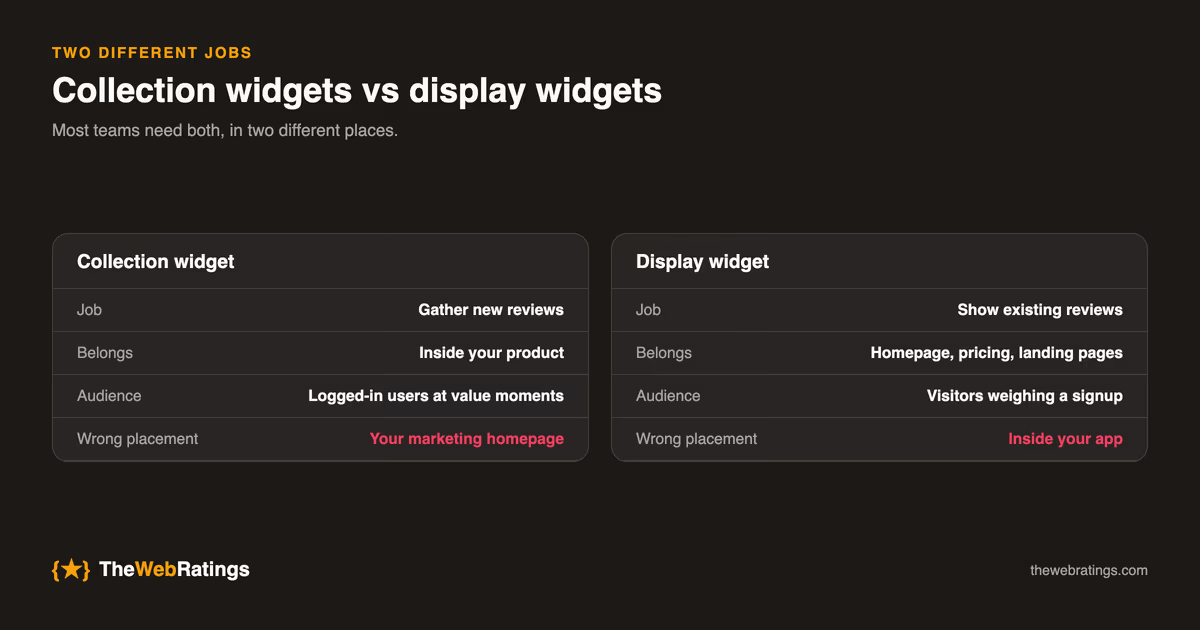
"Add a review widget" hides two very different jobs. Collection widgets gather new reviews from your users; display widgets show existing reviews and ratings to visitors. Most teams need both, and conflating them leads to bad placement decisions: a collection prompt on your marketing homepage asks the wrong audience, and a display carousel inside your app preaches to the converted.
Collection widgets: put them where your users are
A collection widget belongs inside your product, where logged-in users experience value. The standard integration is a single script tag:
<script
  src="https://widget.thewebratings.com/widget.js"
  data-site-key="YOUR_SITE_KEY"
  defer
></script>
The widget script handles prompt timing, the rating UI, and (in TheWebRatings' case) email OTP verification of the reviewer. Implementation notes that matter:
- Load it deferred or async. A review widget must never block your app's first paint.
- Scope it to authenticated routes. There's no point prompting logged-out visitors, and it keeps your marketing pages lean.
- Respect dismissal. If a user closes the prompt, the widget should back off for weeks, not minutes. Check your provider's frequency behavior before shipping.
Where to trigger it and what the prompt should say is its own topic, covered in how to collect reviews inside your app.
Display widgets: badge, bar, or carousel
Display widgets belong on conversion surfaces: your homepage, pricing page, landing pages. Three common formats, in ascending order of footprint:
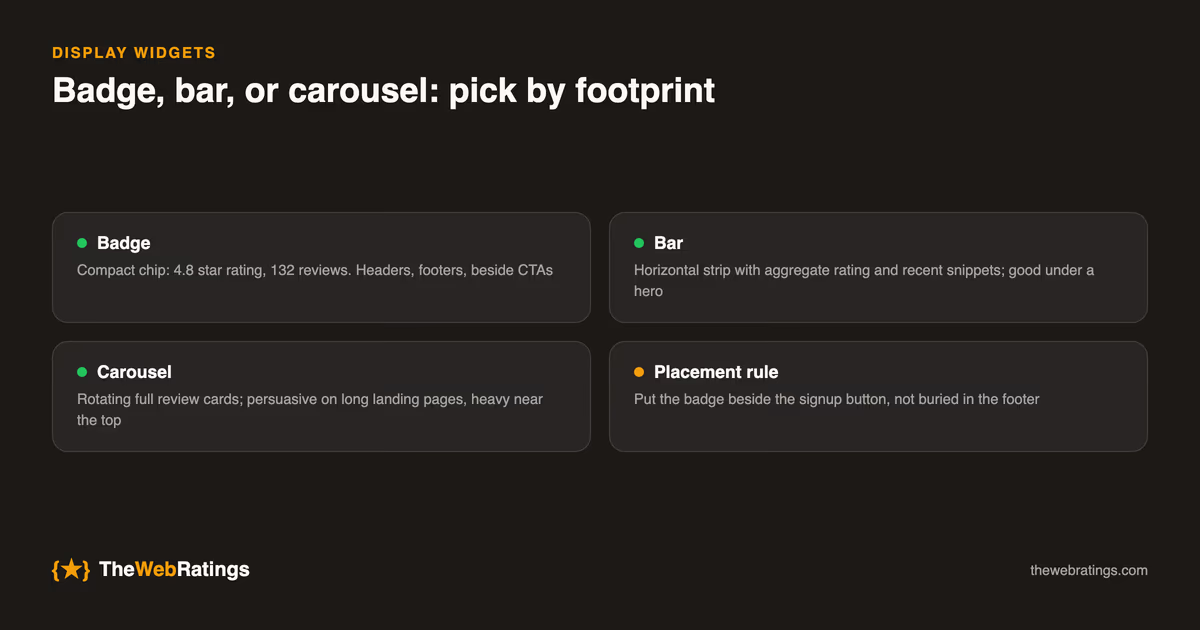
- Badge: a compact "4.8 ★ on TheWebRatings (132 reviews)" chip. Works in headers, footers, and next to CTAs. Lowest risk, highest versatility.
- Bar: a horizontal strip with the aggregate rating and a few recent snippets. Good under a hero section.
- Carousel: rotating full review cards. Persuasive on long landing pages; heavy near the top of a page.
Placement rule of thumb: put the badge near the moment of decision, beside the signup button rather than buried in the footer. Social proof works when it's adjacent to the action it de-risks.
Script tag vs iframe
Most widget vendors offer one or both:
- Script embeds render into your DOM. They match your fonts, can be styled, and support SSR-friendly async loading, but you're trusting the vendor's JS in your page context.
- Iframes isolate the widget entirely. Safer and simpler, but styling is limited and responsive sizing takes care.
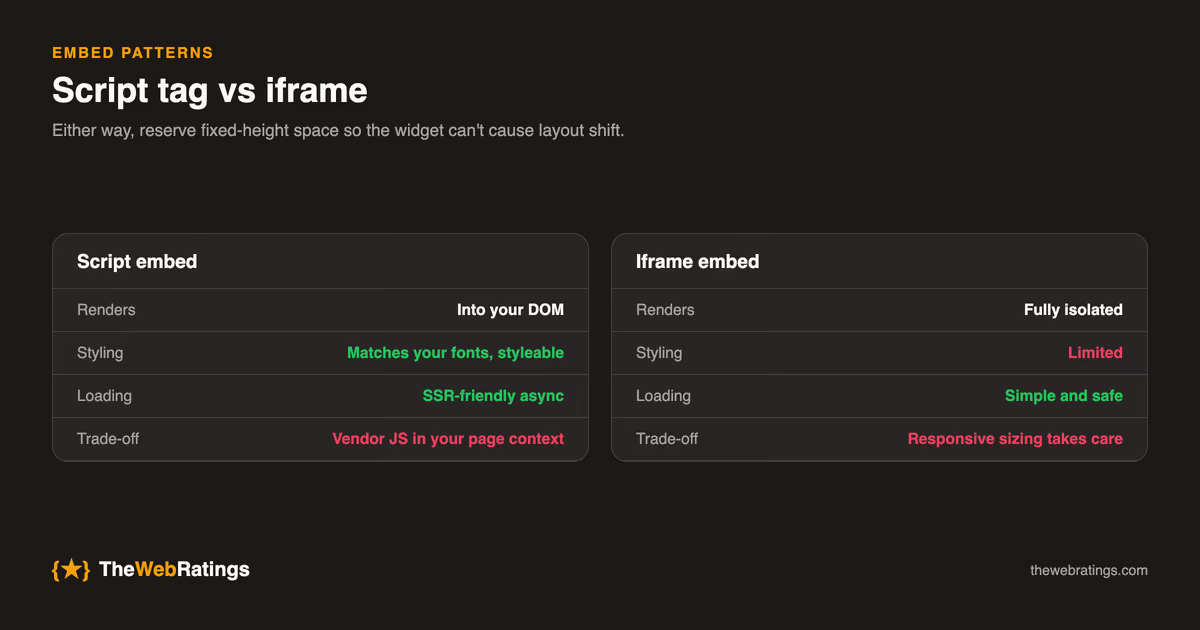
Either way, watch cumulative layout shift (CLS): reserve the widget's space with a fixed-height container so the page doesn't jump when it loads. A review widget that tanks your Core Web Vitals costs more SEO than the stars earn back.
The schema question
A common mistake: adding AggregateRating markup directly to your homepage alongside your display widget, hoping for star ratings in Google. Google treats self-published review markup about your own organization as self-serving, and it's been largely ineligible for rich results since 2019. The stars come from the independent page where your reviews actually live. For TheWebRatings users, that's your public trust page at thewebratings.com, which carries the schema for you. Details and correct markup patterns are in the review schema guide.
So: display widgets on your site are for humans; the schema that earns stars lives on the independent platform page. Don't duplicate it.
Branding, colors, and plan gating
Free tiers of most widget products include vendor branding ("Powered by …"). On TheWebRatings, the collection widget is free (with TWR branding); the Pro plan ($19/mo) adds the display widgets (badge, bar, and carousel) plus custom colors and branding removal. See pricing for the full split.
Troubleshooting the common embed problems
The widget doesn't appear. Ninety percent of the time this is one of three things: the script tag was pasted with a wrong or placeholder site key; a content-security policy blocking the vendor's script domain (check the browser console for CSP errors and add the widget host to script-src); or an ad blocker in your own browser; test in a clean profile before assuming the integration is broken.
The widget appears but shows no reviews. Display widgets read from your public profile; if the profile has no published reviews yet, most render a fallback or nothing. Collect first, display second.
The page jumps when the widget loads. That's the CLS problem from above. Wrap the embed in a container with an explicit min-height matching the widget's rendered size.
Styles look wrong in dark mode. Script embeds inherit your page's styles; if your site supports both themes, check the widget in each and use the vendor's theme option (or Pro-tier custom colors) rather than fighting it with CSS overrides.
Single-page-app routing hides the prompt. In SPAs, a widget initialized on first load may not re-evaluate triggers after client-side navigation. Check whether your provider exposes a re-init or route-change hook.
Checklist before you ship
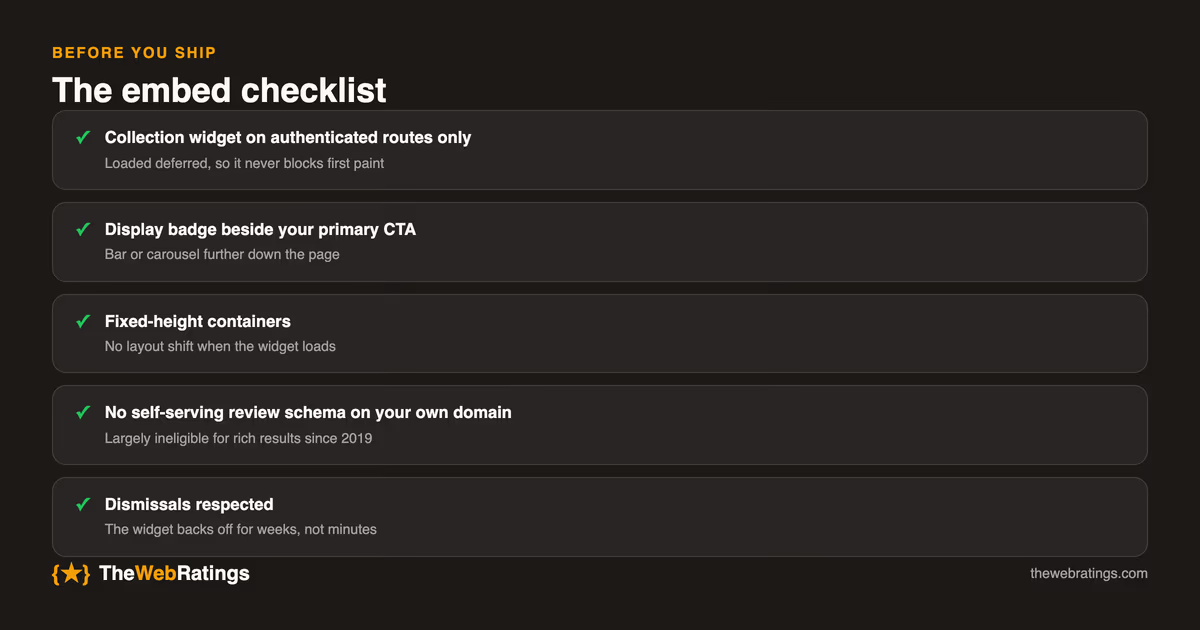
- Collection widget on authenticated app routes only, loaded deferred.
- Display badge adjacent to your primary CTA; bar or carousel further down.
- Fixed-height containers to avoid CLS.
- No self-serving review schema on your own domain.
- Verify the widget respects dismissals and doesn't over-prompt.
Embedding is genuinely the easy part: one script tag, one afternoon, including testing. The compounding work is what the widget feeds: verified reviews accumulating on a public page. If you're comparing approaches first, in-app reviews vs email requests covers why widget-based collection wins, and the customer reviews for SaaS guide puts it all in sequence.
Frequently asked questions
A collection widget gathers new reviews and belongs inside your product, where logged-in users experience value. A display widget shows existing reviews and ratings and belongs on conversion surfaces like your homepage and pricing page. Most teams need both, in those two different places.
Not if it's embedded properly: load the script deferred or async so it never blocks first paint, and reserve the widget's space with a fixed-height container so it doesn't cause layout shift. An unoptimized widget that tanks Core Web Vitals can cost more SEO than the stars earn back.
No. Google treats review markup you publish about your own organization on your own domain as self-serving, and it has been largely ineligible for rich results since 2019. The schema that earns stars lives on the independent platform page where your reviews are published.
The three usual causes: a wrong or placeholder site key in the script tag, a content-security policy blocking the widget domain (check the browser console and add the host to script-src), or an ad blocker in your own browser. Test in a clean browser profile before assuming the integration is broken.
The collection widget is free with TWR branding. Display widgets (badge, bar, and carousel) plus custom colors and branding removal are part of Pro at $19/mo.