How to Ask for Reviews Without Annoying Your Users (Prompt Copy That Works)
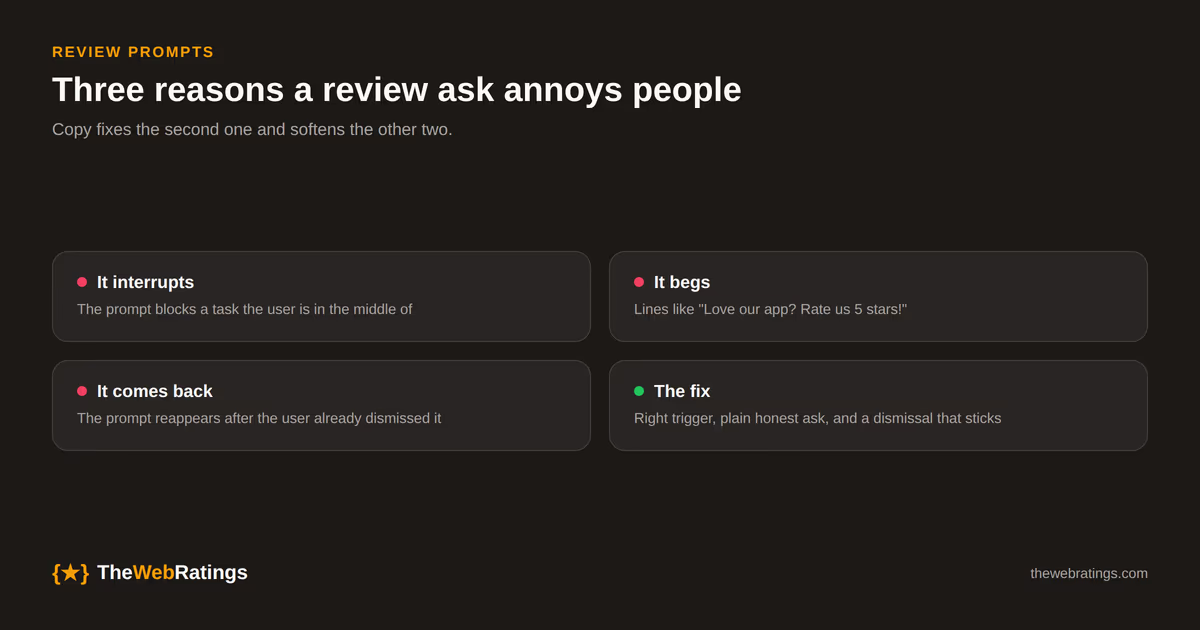
A review ask annoys people for three reasons: it interrupts them, it sounds like begging, or it keeps coming back after they said no. Copy can fix the second problem completely and soften the other two. It cannot rescue a prompt that fires at the wrong moment, so if you have not picked your trigger yet, read our guide to review request timing first and come back.
This post is about the words. It covers the prompt copy we would ship for an in-app ask and a follow-up email, the lines worth deleting from most review requests, and the small UI rules that decide whether a dismissed prompt stays dismissed. For the wider strategy (channels, verification, where reviews end up), the pillar guide on customer reviews for SaaS is the place to start.
What a good review prompt contains
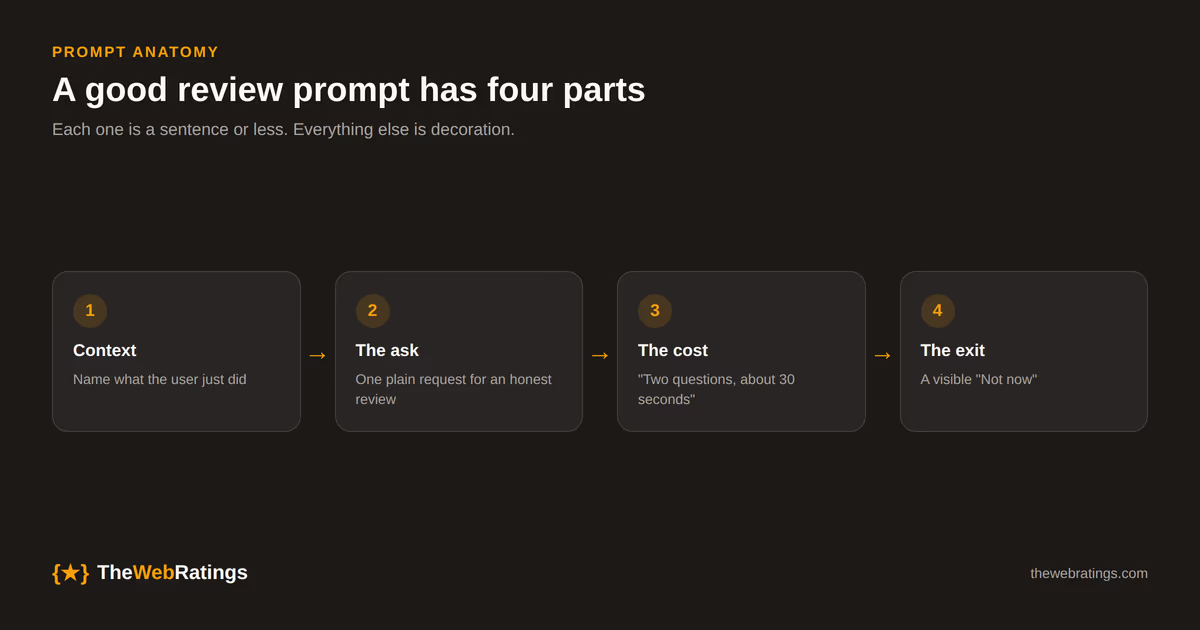
Strip a good prompt down and you find four parts. Each one is a sentence or less.
- Context. Name the thing the user just did. "Your report finished exporting" tells them why the prompt is here now, and that you noticed something real.
- The ask. One plain request for an honest opinion. Say "honest" out loud; it signals you want the real answer and it keeps you inside the FTC's generalized-solicitation carve-out.
- The cost. Tell them how long it takes. "Two questions, about 30 seconds" is a promise you then have to keep.
- The exit. A visible way to say no that does not feel like a trap. "Not now" works. "No thanks, I hate helping small teams" does not.
Everything else is decoration, and most decoration makes the prompt longer and more annoying. If your current prompt has a paragraph about your company story, cut it.
Copy that works, and copy to delete
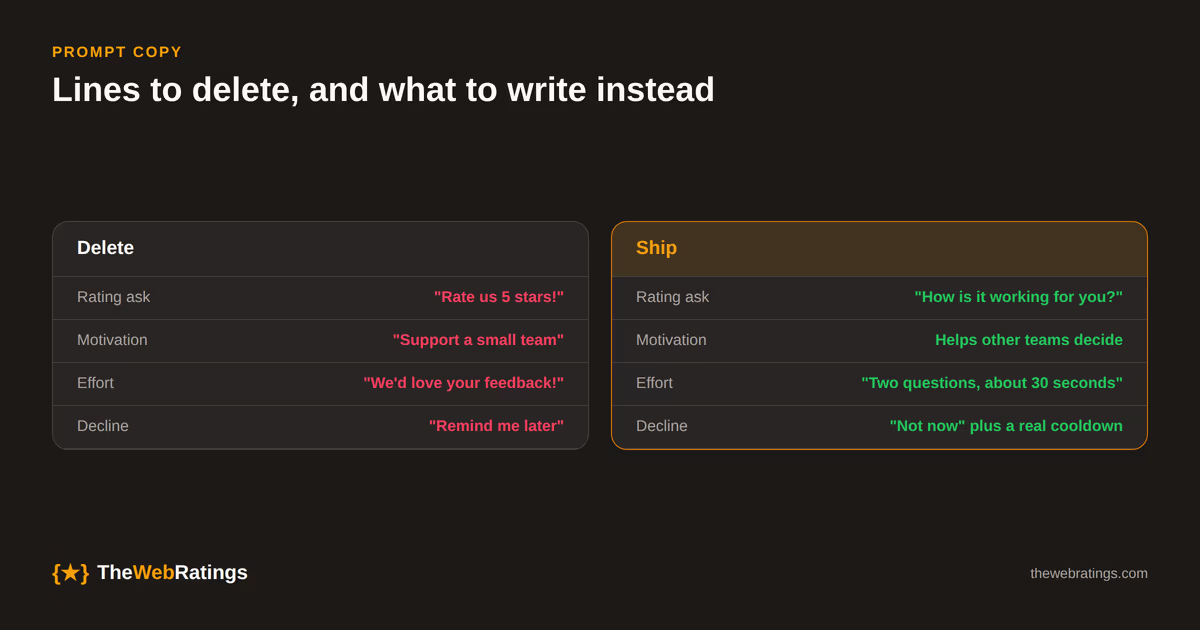
The fastest way to improve an existing prompt is to find the lines that make it sound needy, pushy, or vague, and replace them with something specific.
| Instead of | Write | Why |
|---|---|---|
| "Love our app? Rate us 5 stars!" | "How is [product] working for you so far?" | Asking for a score you want reads as begging, and it leans on the reviewer's sentiment |
| "Support a small team by leaving a review" | "Your honest review helps other teams decide if this fits them" | Guilt converts badly; helping peers is a reason people actually act on |
| "We'd love your feedback!" | "Two questions, about 30 seconds" | Vague asks feel like an open-ended chore |
| "Leave a review and get a month free" (only for positive ones) | No incentive, or the same reward for every honest review, disclosed | Sentiment-conditioned rewards are banned under the FTC rule |
| "Remind me later" that returns next session | "Not now" with a real cooldown | The user already answered |
The incentive row deserves a second look. Under section 465.4 of the FTC's Consumer Review Rule, a reward conditioned on a positive review is prohibited, and wording that implies the positive expectation counts too. We walk through the details in the FTC fake review rule for SaaS. The short version for prompt copy: never pair a star request with a reward.
Templates you can adapt
These are starting points. Swap in your own product noun and the event that triggered the ask; a prompt that names a real event always beats a generic one.
In-app prompt (after a completed action)
Your invoice batch went out. How is [product] working for you? An honest review takes about 30 seconds and helps other teams decide if it fits them.
[Write a review] [Not now]
Keep it to the size of a toast or a small card anchored to the corner. A full-screen modal is the single fastest way to make a review ask feel hostile, because it blocks the work the user came to do. Do not dim the page behind it.
Follow-up email (when in-app is not possible)
Subject: Quick question about your first month with [product]
Hi Dana,
You've published 12 projects with [product] since September. If you have 30 seconds, an honest review would help other teams figure out whether it suits them.
[Write a review]
If it hasn't been working for you, just reply to this email. I read every reply.
Manish
Three details carry this email. The subject line describes the email truthfully. The opening line is a real fact from the user's account, which proves this is not a blast. And the reply line gives unhappy users somewhere to go that is a conversation with a person rather than a filter. Make sure the review link itself is open to everyone; the reply option is an extra path, never a replacement for the public one.
One-tap rating, then the text box
If you collect a star rating first and the written review second, show the text box to everyone who gives a rating, not only the high scorers. Sending happy users to a public page and unhappy users to a private form is review gating. Google's review policies prohibit it for Google reviews, and under FTC section 465.7(b) you cannot present a gated set as your overall reviews.
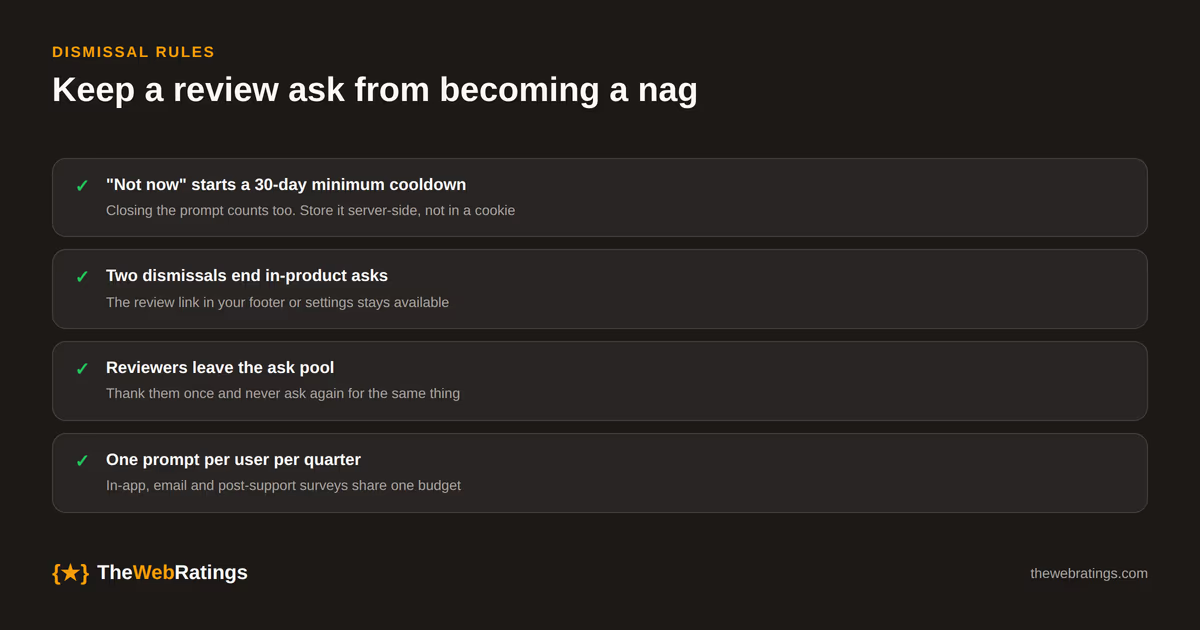
Dismissal rules that keep it from becoming a nag
Copy gets the first ask right. What turns a reasonable prompt into an annoying one is usually the second, third, and fourth appearance. A few rules we hold to:
- "Not now" starts a cooldown. Store the dismissal server-side against the user, not in a cookie that vanishes on a new device, and do not show another prompt for at least 30 days.
- A close (X) counts as a no. Treat it the same as "Not now." Users close prompts on purpose.
- Two dismissals end it. After a second dismissal, stop asking that user in-product. If they want to review you later, the link in your footer or settings page is still there.
- Reviewers leave the pool. Once someone writes a review, never ask them again for the same thing. Thank them once.
- One prompt per user per quarter at most, across every surface. In-app, email, and the post-support survey share one budget.
Apple enforces a version of this on iOS whether you like it or not. Its StoreKit review prompt is shown to a given user at most three times in a 365-day period, and the system decides whether it appears at all. That cap is a reasonable model for web apps too.
Test copy after you have fixed the trigger
Once the trigger fires at a real value moment, copy tests become worth running. The ones that tend to move response rates are the context line (generic versus naming the actual event), the stated time cost, and the button label ("Write a review" versus "Share your experience"). Change one thing per test and give each arm enough users to mean something; on a small product that can take weeks.
Track dismissals as closely as completions. A version that lifts reviews by a little while doubling dismissals is borrowing goodwill from your next ask.
Disclosure: we build a review tool, so weigh this accordingly. TheWebRatings collects reviews through a widget inside your app and verifies every reviewer with an email one-time code. The free plan covers one website with unlimited verified reviews, and Pro is $19/mo; details are on the pricing page.
Frequently asked questions
Name the thing the user just did, ask for an honest opinion in one sentence, say roughly how long it takes, and give a visible way to decline. Skip requests for a specific star rating, guilt about being a small team, and any reward tied to a positive review.
A practical ceiling is one prompt per user per quarter across all channels, with a cooldown of at least 30 days after any dismissal and no more in-product asks after two dismissals. Users who already left a review should not be asked again for the same thing.
Asking for a specific rating pushes reviewers toward a sentiment, which makes the review less trustworthy and, if paired with a reward, falls under the FTC rule's ban on sentiment-conditioned incentives. Ask for an honest review instead.
Offering a private reply channel in addition to the public review link is fine. Showing the public review option only to happy users is review gating, which Google's review policies prohibit and which the FTC rule treats as suppression if you present the result as your overall reviews.
They can be if they block the screen or interrupt a task, which is why a small card shown right after a completed action works better than a full-screen modal. An email is easier to ignore but arrives long after the moment of value, so it usually gets fewer responses.