How to Add AggregateRating Schema (Step-by-Step Guide)
AggregateRating is the schema.org type that summarizes many ratings into one machine-readable statement (think "4.7 out of 5 from 89 reviews"), and it's the property Google reads when deciding whether to render stars under a result. This guide walks through adding it correctly, step by step.
One thing before touching code: if you're planning to mark up your own product on your own website, read step 0 first. It will save you the afternoon.
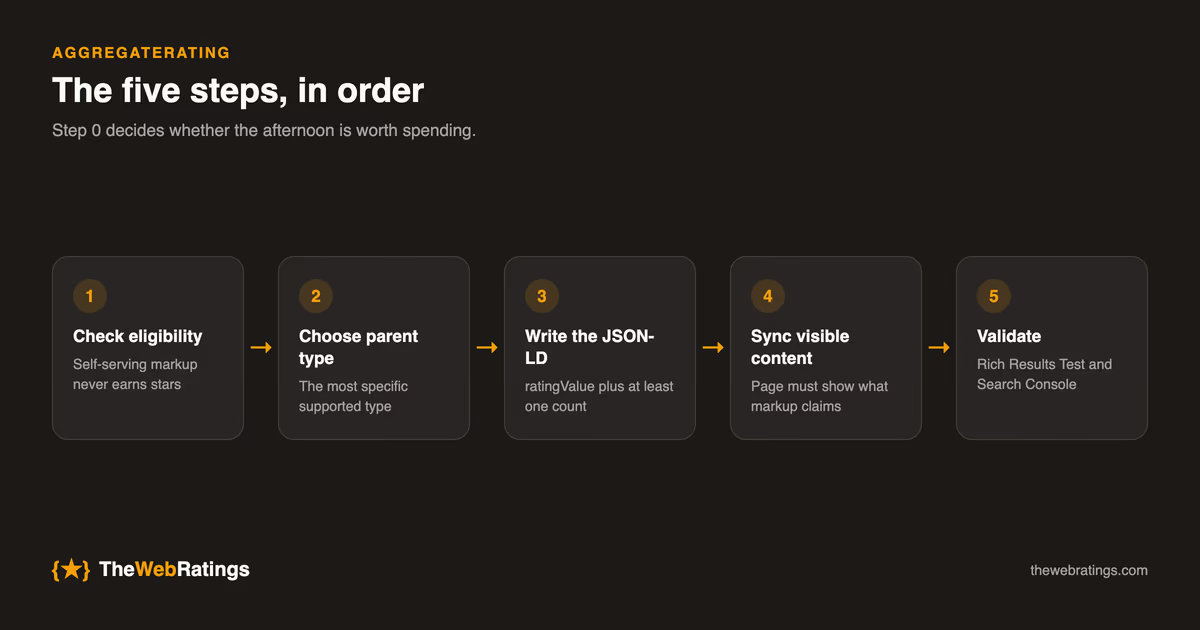
Step 0: Make sure your page is even eligible
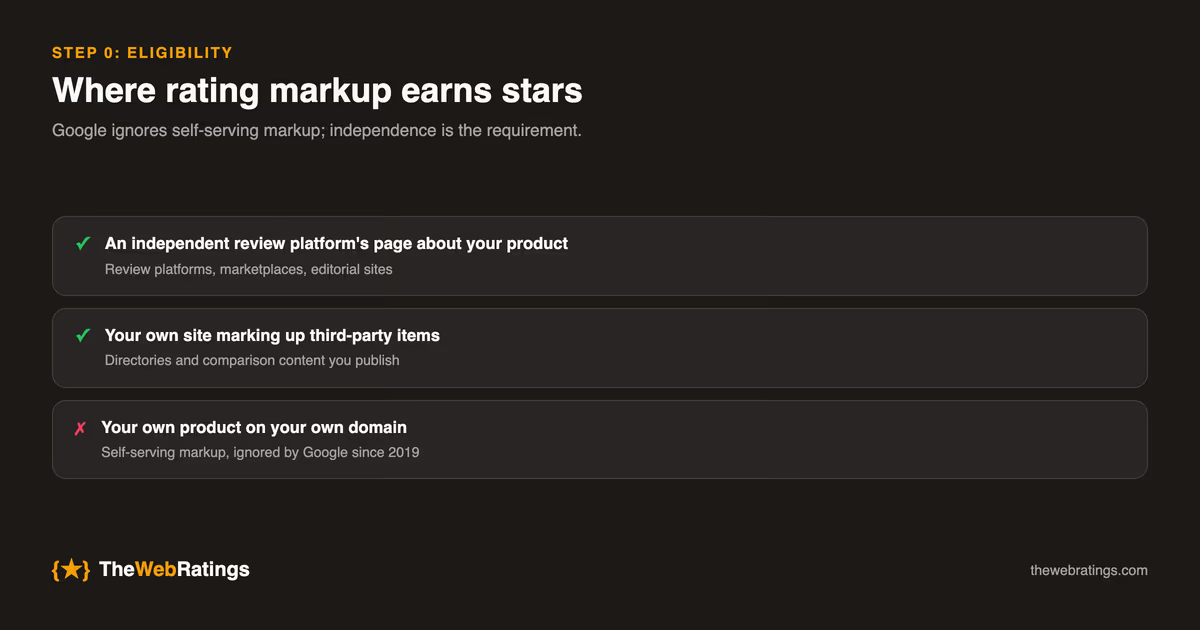
Google ignores review markup it deems self-serving, meaning an entity publishing rating markup about itself on its own domain. That's been policy since 2019. AggregateRating earns stars on pages where an independent party publishes the ratings: review platforms, marketplaces, editorial sites.
So the realistic paths to stars for a SaaS product are:
- An independent review platform's page about your product (this is what TheWebRatings public trust pages provide: schema maintained for you, fed by verified reviews), or
- Your own site marking up third-party items you review or list (e.g., you run a directory or comparison content).
If you're in the second camp, or you simply want to understand the markup, continue.
Step 1: Choose the parent type
AggregateRating must nest inside the item it rates. Pick the most specific supported type:
SoftwareApplication/WebApplication: apps and SaaSProduct: physical or digital productsCourse,Book,Recipe,Movie: content verticalsLocalBusiness: businesses with a physical presence (heavily affected by the self-serving rule)
Step 2: Write the JSON-LD
Add a script block to the page's HTML (head or body both work):
<script type="application/ld+json">
{
  "@context": "https://schema.org",
  "@type": "SoftwareApplication",
  "name": "ExampleApp",
  "description": "Time tracking for freelance teams.",
  "url": "https://example.com/apps/exampleapp",
  "applicationCategory": "WebApplication",
  "operatingSystem": "Any",
  "offers": {
    "@type": "Offer",
    "price": "0",
    "priceCurrency": "USD"
  },
  "aggregateRating": {
    "@type": "AggregateRating",
    "ratingValue": "4.7",
    "ratingCount": "112",
    "reviewCount": "89",
    "bestRating": "5",
    "worstRating": "1"
  }
}
</script>
Property notes:
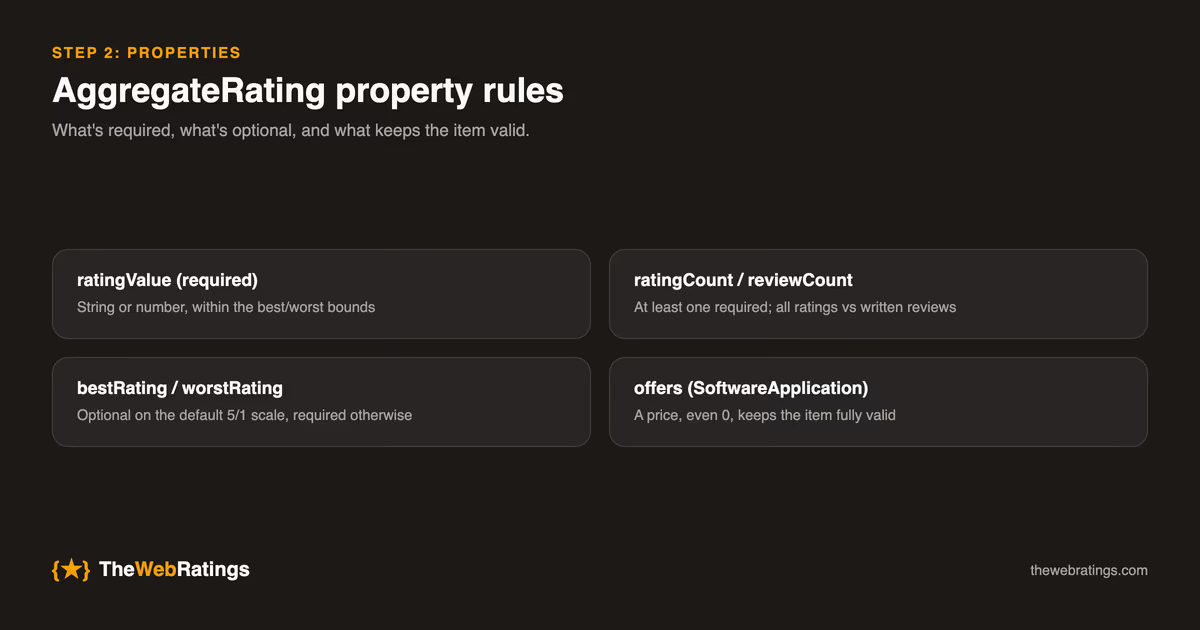
ratingValueis required. String or number; it must fall within the best/worst bounds.ratingCountvsreviewCount: at least one is required.ratingCountcounts all ratings (including star-only);reviewCountcounts ratings with written reviews. Include both if you have both.bestRating/worstRatingare optional if you use the default 5/1 scale, and required if your scale differs (e.g., 10-point). Declare them anyway; it's free correctness.- For
SoftwareApplication, Google also wantsoffersoraggregateRatingpresent. Including a price (even "0") keeps the item fully valid.
Step 3: Keep markup and visible content in sync
Google requires structured data to reflect what users can see. If the JSON-LD says 4.7 from 89 reviews, the page should visibly display that rating and (for review markup) the reviews themselves. Marking up numbers that appear nowhere on the page is a manual-action risk. This also implies updating the markup when ratings change. A static snippet hardcoded during a redesign drifts out of sync within weeks, so generate it from the same data source that renders the visible rating.
Step 4: Validate
- Rich Results Test: confirms Google detects "Review snippets" and lists any blocking errors.
- Schema.org validator (validator.schema.org): checks structural correctness beyond Google's subset.
- Search Console: after deployment, the Review snippets report shows valid/invalid items and impressions over time.
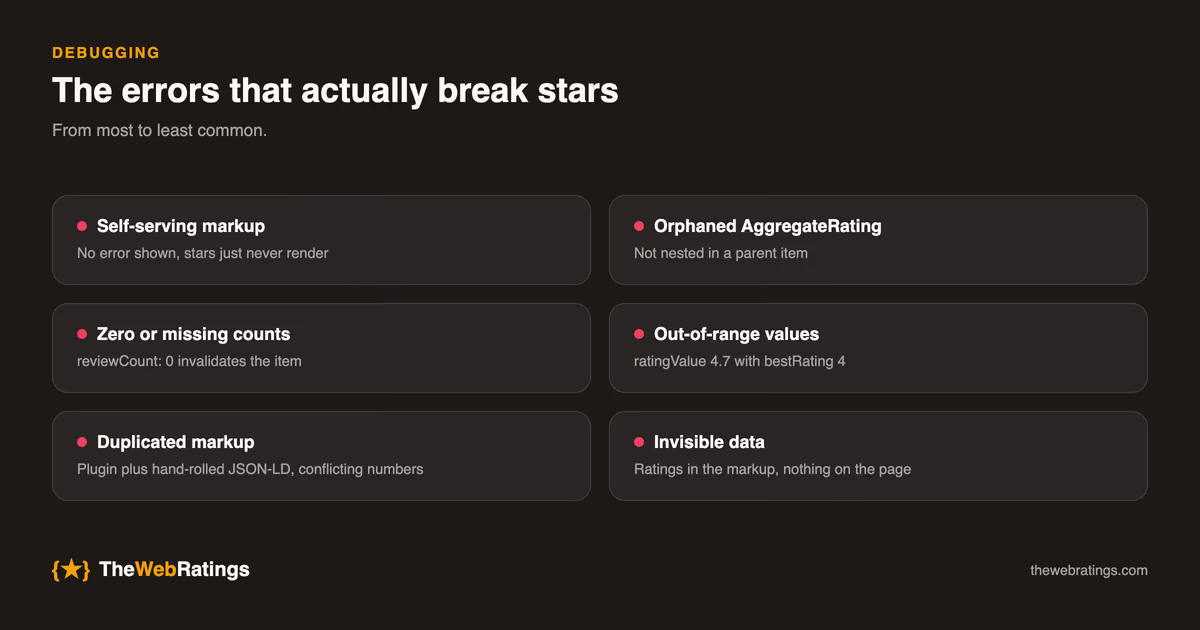
The errors that actually break stars
From most to least common:
- Self-serving markup. No error shown, stars just never render. (Step 0.)
- Orphaned AggregateRating. Markup not nested in a parent item. Validators flag "no parent type."
- Zero or missing counts.
reviewCount: 0invalidates the item; omit markup entirely until reviews exist. - Out-of-range values.
ratingValue: 4.7withbestRating: 4, usually from a scale migration. - Duplicated markup. The same item marked up twice (theme plugin plus hand-rolled JSON-LD) with conflicting numbers.
- Invisible data. Ratings in the markup, nothing on the page.
Keeping it correct over time
Shipping valid markup is a milestone, not a finish line. Three habits keep it earning:
Generate, don't hardcode. The JSON-LD should be produced at render time from the same database field that displays the visible rating. In a React or Next.js app that's a small serializer: build the schema object from live data, JSON.stringify it into the script tag, done. A hardcoded block is guaranteed to drift, and drift is the failure mode that never throws an error.
Re-validate on deploy. Any release that touches the rating display, the page template, or the schema serializer should end with a Rich Results Test run against a production URL. Teams that ship markup frequently wire a structured-data check into CI so a broken block fails the build instead of failing silently in search.
Watch the counts as well as the validity. A page whose reviewCount hasn't moved in a year signals staleness even when everything validates. If collection has stalled, no amount of schema work will help; the fix lives upstream in how you ask users for reviews.
If you'd rather not maintain this
Honest assessment: hand-maintained rating schema is a small forever-chore with a binary failure mode. It silently stops earning stars when it drifts. Review platforms exist partly to own this chore. TheWebRatings publishes your verified reviews on an independent public page with SoftwareApplication, AggregateRating, and Review markup generated from live data, and the independence also solves the self-serving problem outright. It's free for one website.
For the conceptual background (what review snippets are and how eligibility works), see review schema markup: how to get star ratings in Google; for the format decision, JSON-LD vs Microdata vs RDFa; and for the structural requirements a valid review schema must meet, the pillar guide: structural requirements for valid review schema.
Frequently asked questions
ratingCount counts every rating, including star-only submissions with no text; reviewCount counts only ratings that came with a written review. At least one of the two is required, and if you have both numbers it's best to include both.
Only if your scale isn't the default 5-to-1. A 10-point scale, for example, must declare them or Google will misread the values. Declaring them explicitly on a 5-point scale costs nothing and protects you against a scale change later.
Yes. Google requires a valid AggregateRating or individual Review markup (or both) nested in a supported parent type. Aggregate-only is the common pattern when you have many ratings and don't want to embed each review in the page.
Validation checks structure, not eligibility. The most common silent killer is the self-serving rule (rating markup about your own product on your own domain), followed by markup that doesn't match visible page content and unsupported parent types. The Rich Results Test will happily pass all three.
Generate it from the same data source that renders the visible rating. Hardcoded blocks drift out of sync within weeks as new reviews arrive, and drift is a guidelines violation that never throws an error. It just quietly costs you the stars.